
I fixed my Mac's window mess with a tiny free app
The hardest part of switching from Windows to macOS was the window management. On Windows, you press the Windows key with an arrow, and windows snap into place. On a Mac, you either drag corners around by hand or pay 15 dollars for an app that only handles basic halves and quarters.
I wanted something faster and more flexible, so I built Tessera. It sits in the menu bar, stays out of the way, and I use it on every screen I plug into.
Before downloading anything or touching system settings, you can try the interactive simulator on tessera.m-reschreiter.at. It lets you drag, snap, resize, and stack mock windows right in your browser.
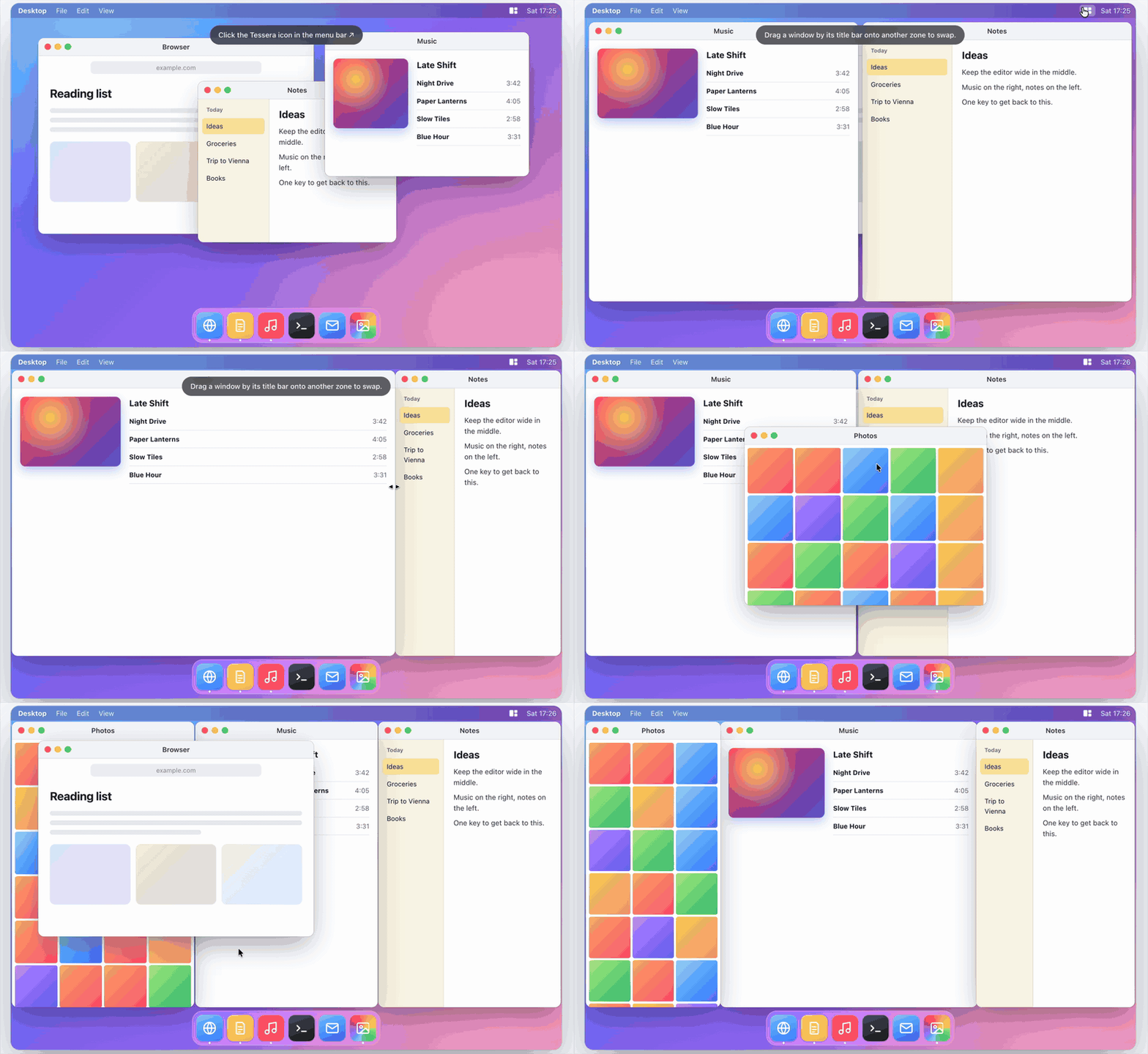
Beyond simple snapping
Most tiling tools treat your screen like static boxes. You snap two windows side by side, and the moment you widen your code editor, the other window stays behind and gets covered up.
Tessera links neighboring edges together. When you make one window wider, adjacent windows shrink along with it. You never have to go back and fix the other half of your screen.
Pressing ⌃⌥1 through ⌃⌥9 applies your saved layouts immediately. Your frontmost window takes the main zone, and the rest fill the remaining spots.
Tabs across different apps
My favorite detail is stacking windows as tabs inside any zone.
Hold Command while dragging a window onto another zone, and Tessera groups them into tabs. This works across different applications. You can group a Terminal window, a database viewer, and a browser preview into one zone next to your code. You can switch between them with the tab bar or press Control + Option + the backtick key.
If you ever need a window to float freely above your layout, drop it away from the center targets.
Free and open source
A lot of Mac window utilities charge subscriptions or ask for 15 to 20 dollars for basic snapping. Tessera is free and open source under the MIT license. There is no account, no telemetry, and no paid tier. It runs on macOS 14 Sonoma or newer on Apple silicon and Intel Macs.
To install it, open Terminal and run:
curl -fsSL https://raw.githubusercontent.com/Asm3r96/tessera/main/install.sh | bash
Turn on the Accessibility permission for Tessera in System Settings, then press ⌃⌥1.
The source code and build instructions are on GitHub. If you run into an edge case with your setup, open an issue.