
Built solo, from the first idea to the shipped product.
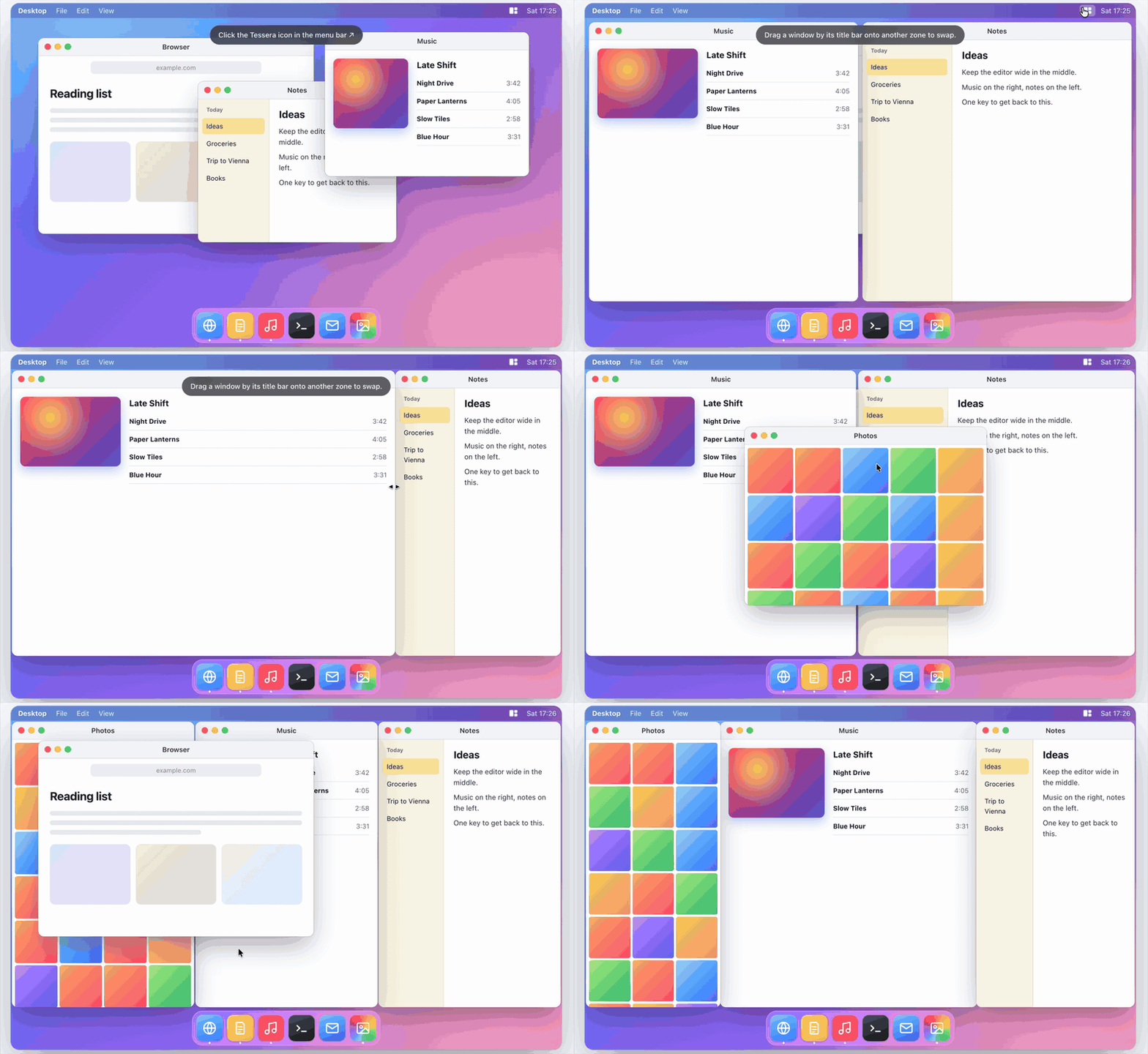
Try it before installing anything. Visit tessera.m-reschreiter.at and use the interactive browser demo to arrange, drag, resize, and stack demo windows.
Try the interactive demoIt started with a Windows shortcut
On Windows, I loved being able to hold the Windows key and move windows into place. I wanted that same ease on my Mac. That was the starting point for Tessera, a small menu bar app I built and now can't work without.
I work with lots of windows open at the same time. Tessera lets me save a layout and apply it with ⌃⌥1. My frontmost window gets the biggest space. I can customize column widths, split columns into rows, and switch layouts when I change tasks.
More than snapping windows
When I make one window wider, its neighbors resize with it. Dragging a window onto another zone swaps them or replaces the window there. Dropping outside the center targets leaves it floating.
My favorite part is putting multiple windows in the same zone as tabs, even across different apps. Hold Command while dropping a window to add it, then switch with the tab bar or Control + Option + the backtick key.
Get it for free
No account. No subscription. Run this in Terminal to download the latest release into ~/Applications and start Tessera:
curl -fsSL https://raw.githubusercontent.com/Asm3r96/tessera/main/install.sh | bashAllow Tessera in System Settings > Privacy & Security > Accessibility, then press ⌃⌥1.
Website and interactive demo · Source code and build instructions · Report an issue